Create interchange ramps
This guide explains how to connect independent roads and build entrance ramps, exit ramps, and complete right-turn ramps for an interchange. The core idea is to combine straight segments, transition curves, and circular curves so vehicles can leave one main road smoothly, pass through the bend, and merge into another main road.
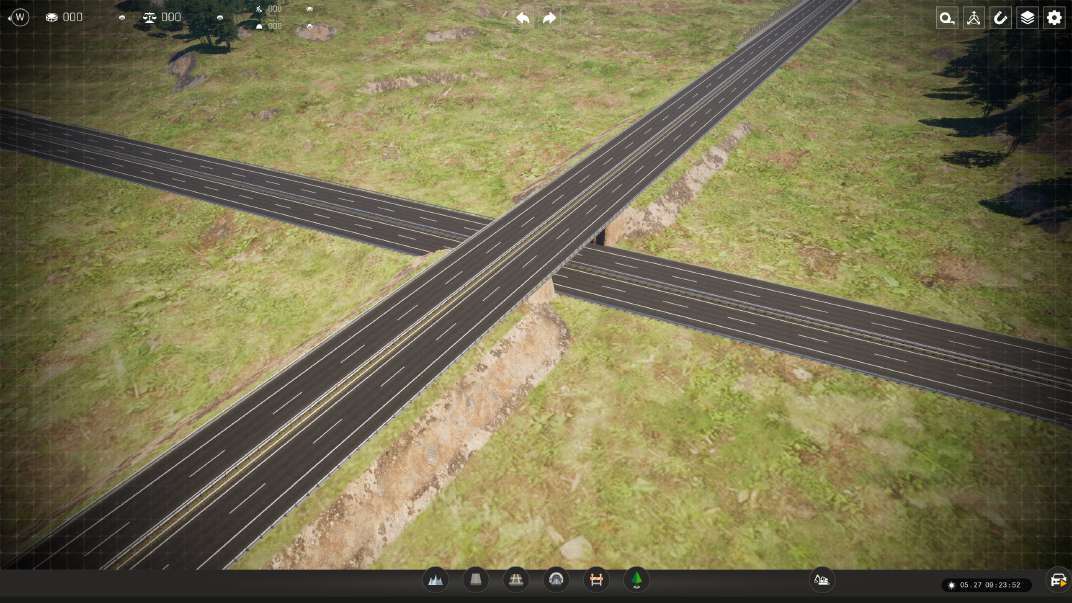
Preparation: before building ramps, make sure the map already contains two crossing or near-crossing main roads. They will serve as the foundation for the interchange.
| Color hint | Meaning |
|---|---|
| Dark green | Current mouse position |
| Light green | Currently selected lane |
| Blue segment | Ramp or temporary alignment currently being pulled out |
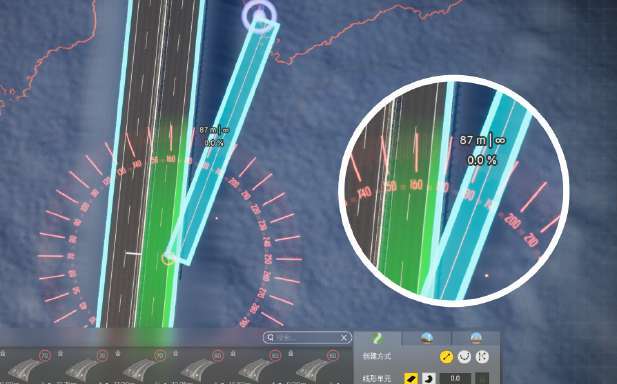
Create a direct exit: a direct exit is the most basic ramp type. Vehicles leave the main road directly from the outer driving lane or emergency lane area.
- Choose the creation tool and move the mouse to the mainline position where you want the exit.
- To create a ramp exit, start near the outermost emergency lane.
- Drag the mouse outward to draw a blue ramp segment.
- Zoom in if needed to check the deflection angle and the connection to the main road.
- After placing the endpoint, left-click to complete the exit.
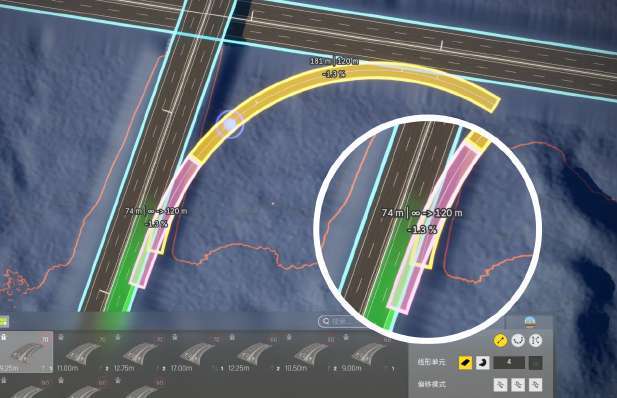
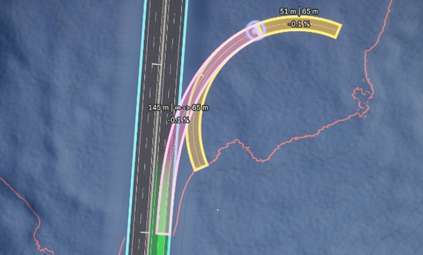
Create a parallel exit: a parallel exit creates a smoother departure from the main road. Place a circular curve first, then pull a straight segment from the main road and snap it to the circular curve. The game will generate the transition curve between them.
- Use the curve tool to create a circular curve near the main road. This becomes the main bend of the ramp.
- Click the main road and select the outermost emergency lane.
- Pull a straight segment outward from the main road.
- Move the mouse and snap it to the circular curve created earlier.
- The game automatically calculates and generates the transition curve between the main road and the circular curve.
- Click to confirm and complete the parallel exit.
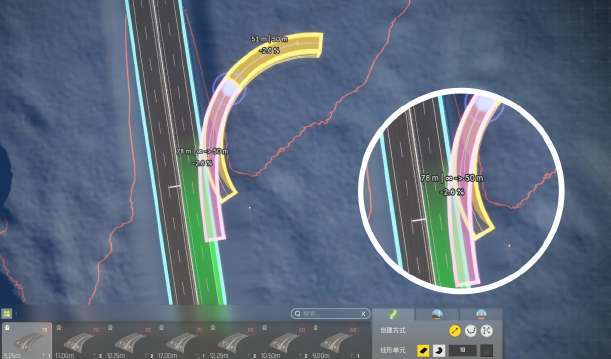
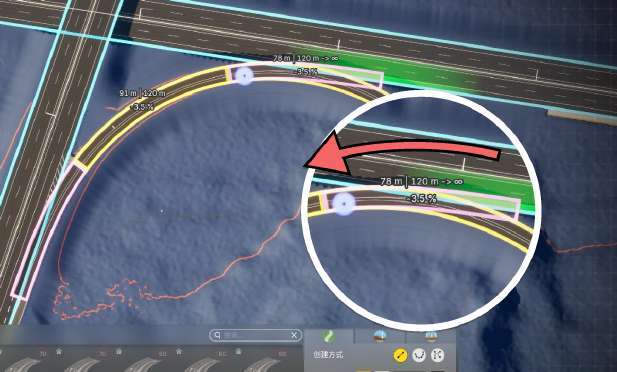
Create an entrance ramp: the steps are the same as for an exit. The game determines whether the result is an entrance or exit based on the direction in which you pull the ramp.
| Type | Direction rule |
|---|---|
| Exit | The ramp extends in the same direction as the main road's forward direction |
| Entrance | The ramp extends opposite to the main road's forward direction |
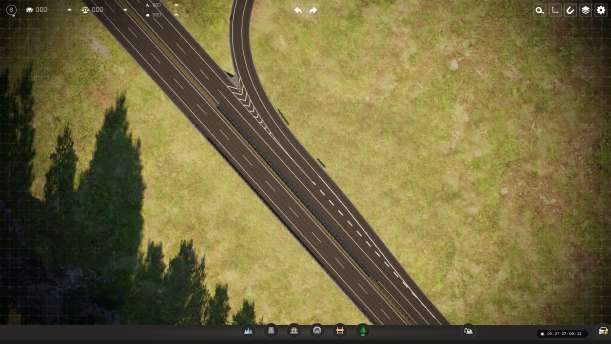
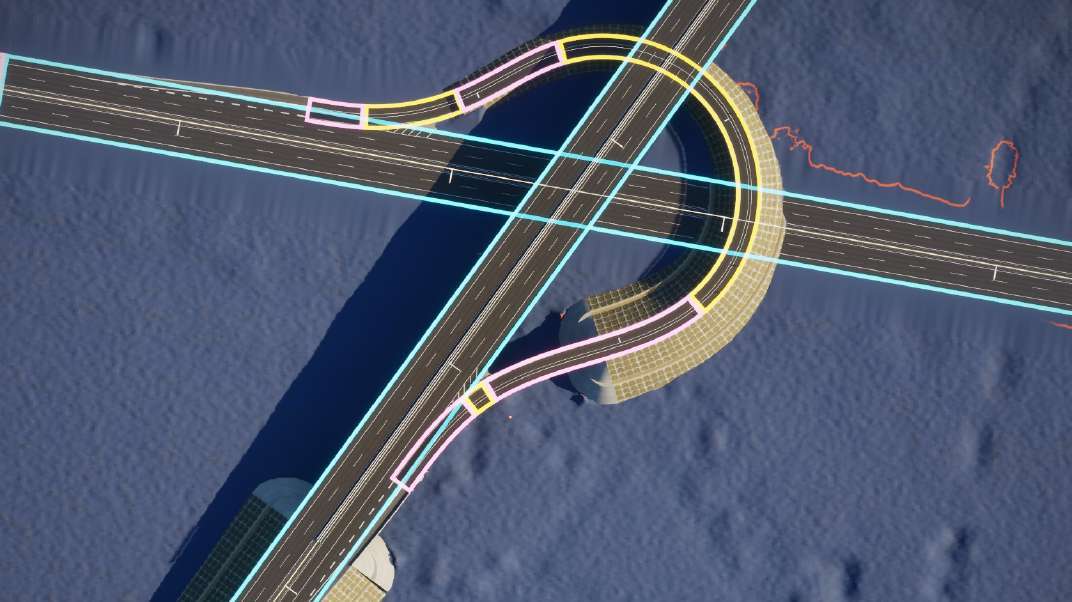
Create a complete right-turn ramp: after learning simple exits and entrances, combine them with a circular curve to create a complete right-turn ramp between two main roads.
- Use the curve tool to place a circular curve between the two target main roads.
- Try to keep both ends of the circular curve close to the target mainlines.
- From the emergency lane of Main Road A, pull a straight segment and snap it to one end of the circular curve.
- After the transition curve is generated, click to confirm and finish the exit section.
- From the emergency lane of Main Road B, pull a straight segment and snap it to the same circular curve.
- Confirm the connection. The complete right-turn ramp is now created.